Why I built it
I save a lot of posts on X. A sharp one-line definition, a reply that disagrees well, a long thread, an article someone published natively on X. Then I sit down to script a video and none of it is usable.
X bookmarks is one long list. Folders sit behind Premium. There are no notes, so I never remember why I saved something. There is no export. A reply is saved without the post it answers. And nothing in there can be handed to an AI: I end up opening ten tabs and pasting ten things into Claude one at a time.
What I wanted was simple to say. Save anything in one tap, then turn a pile of saves into one clean block of text that an AI can read. X never built that, so I did.
A note on the screenshots. Everything below comes from a demo vault filled with well-known public posts, so you see the real product without seeing my own reading list. The website shots are from a desktop browser. The app shots are from an Android emulator.
The whole thing in four steps
- SaveShare a post, link or video to Vault from any app. Or select text, or talk.
- FetchThe server pulls the full text, thread, article, images and transcript.
- MergeTick the items that belong together and rank the replies.
- AskCopy the merged text into Claude, or let Claude read it directly.
There are two parts. A small server with a website, which is where I organize and merge. And an Android app, which is where I save, and now also where I browse, merge and write notes when I am away from the desk.
Save: one tap from the phone
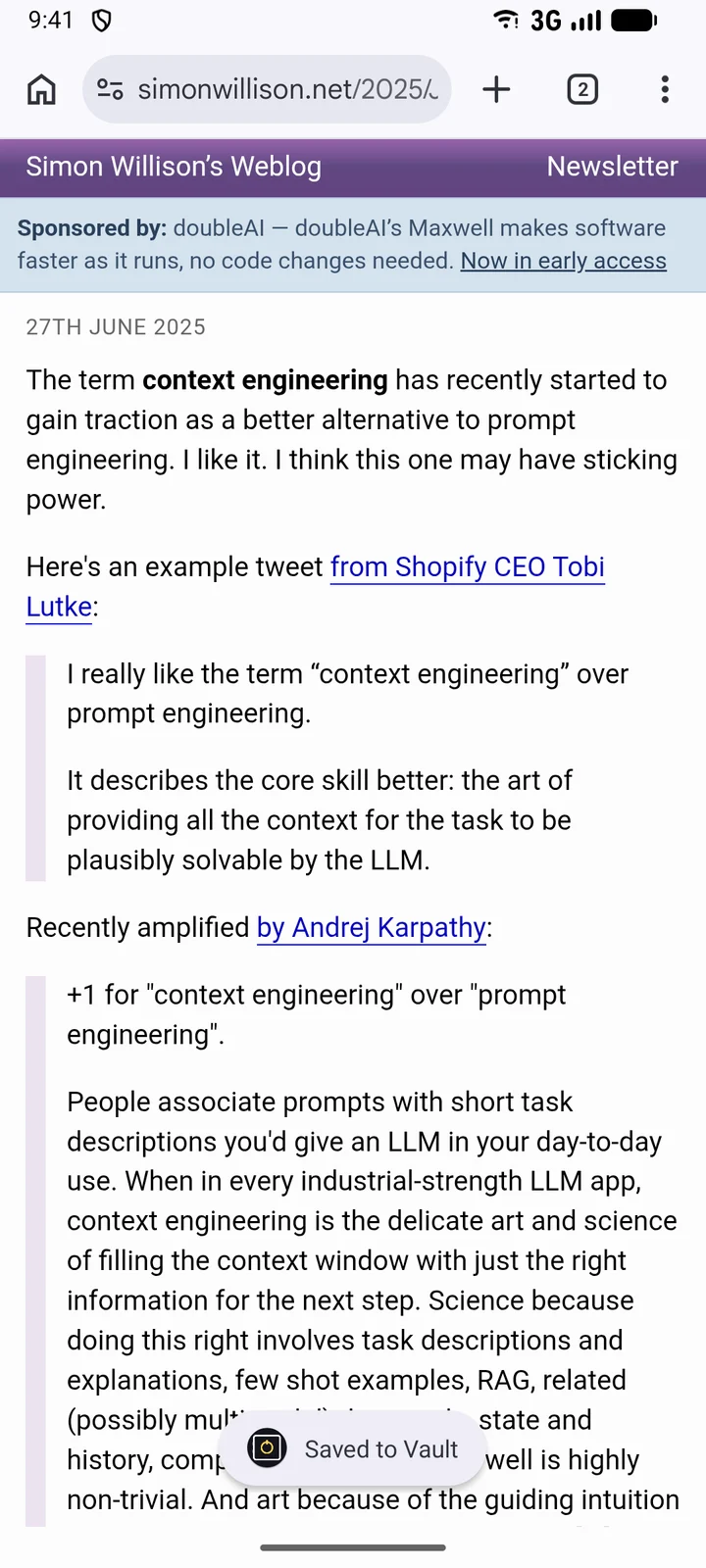
Saving has to be easier than bookmarking, or I will not do it. So the app sits in the Android share sheet. Share a post from X, a page from Chrome or a video from YouTube, pick Vault, and it is done. There is no screen to fill in. A toast says “Saved to Vault” and I am back where I was.
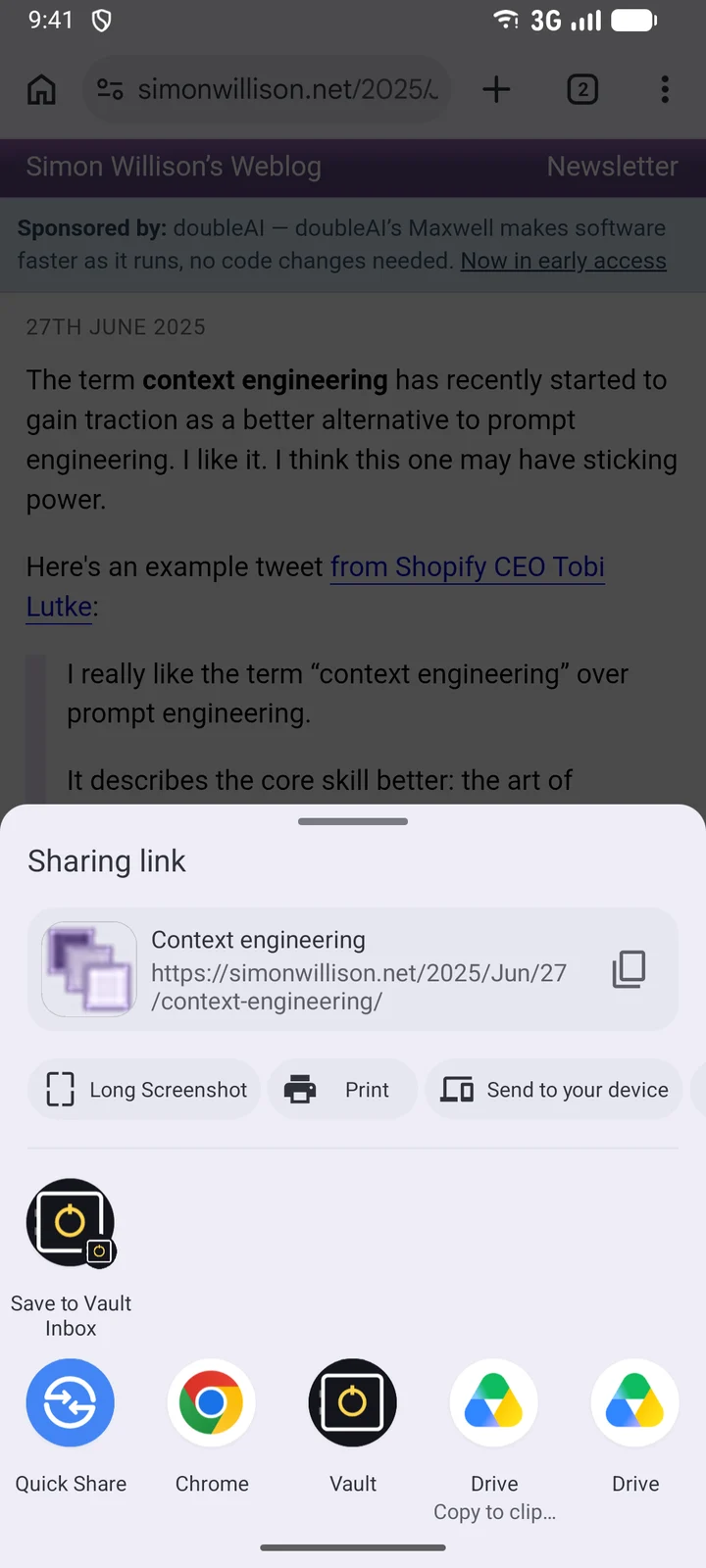
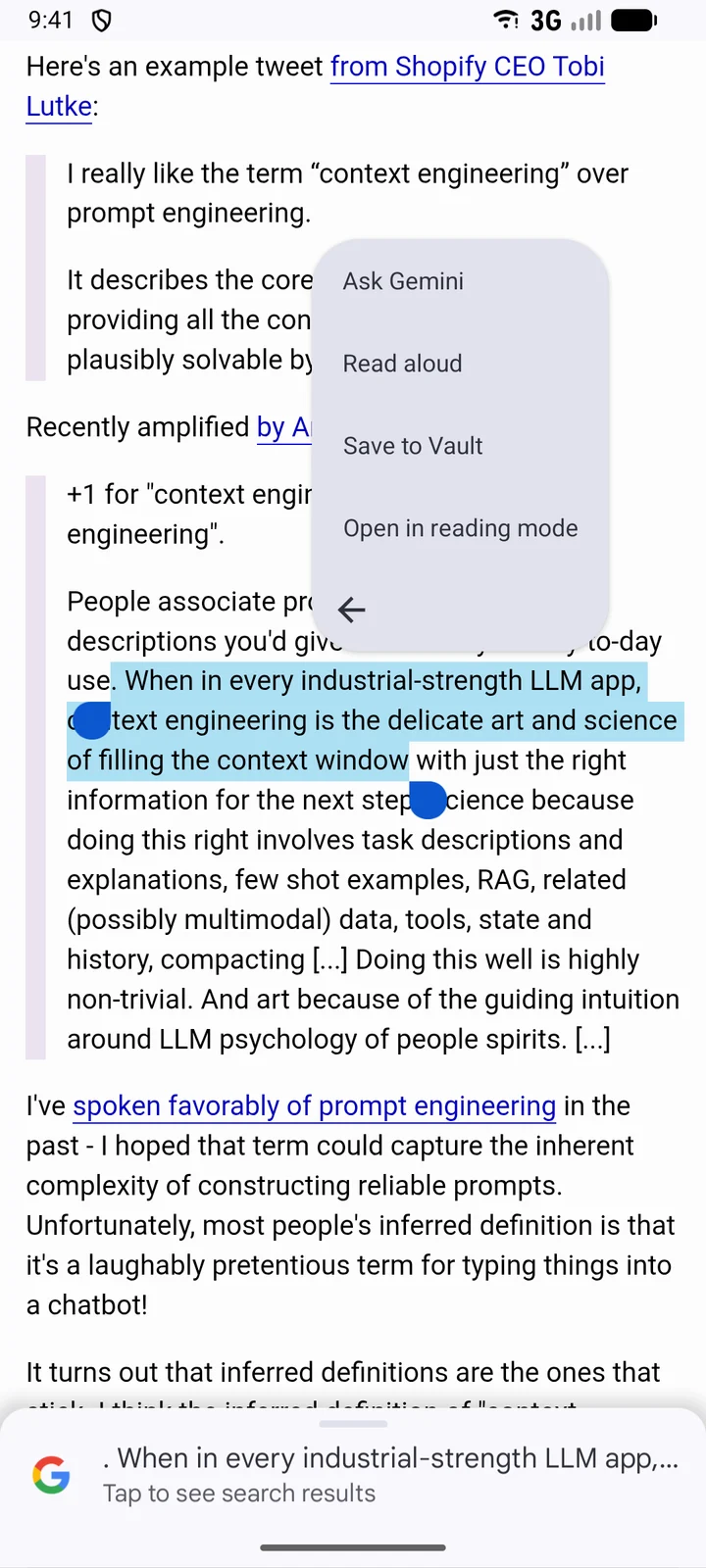
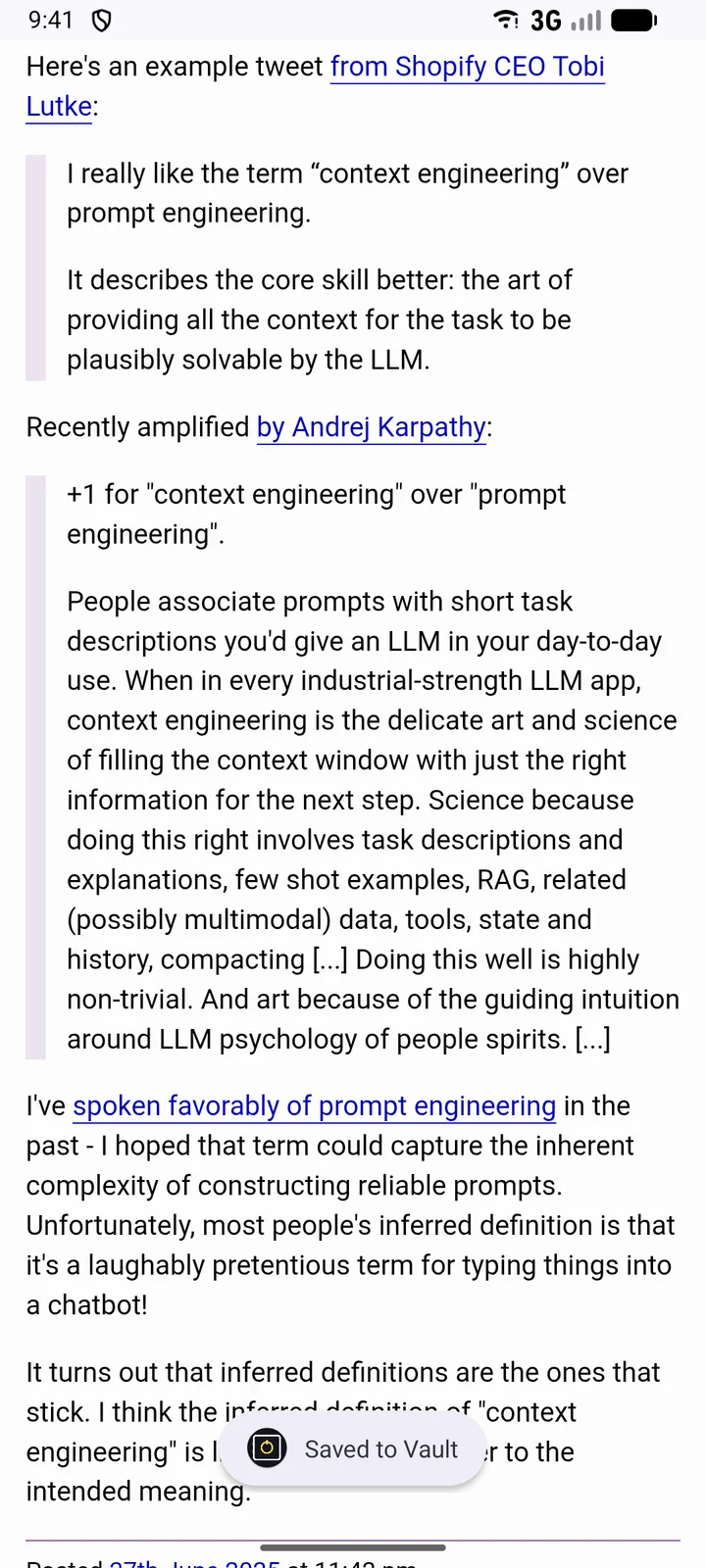
There are five ways in, because no single one works in every app:
- Share → Vault for posts, links and videos.
- Save to Vault in the text selection menu, for a passage from any page or app.
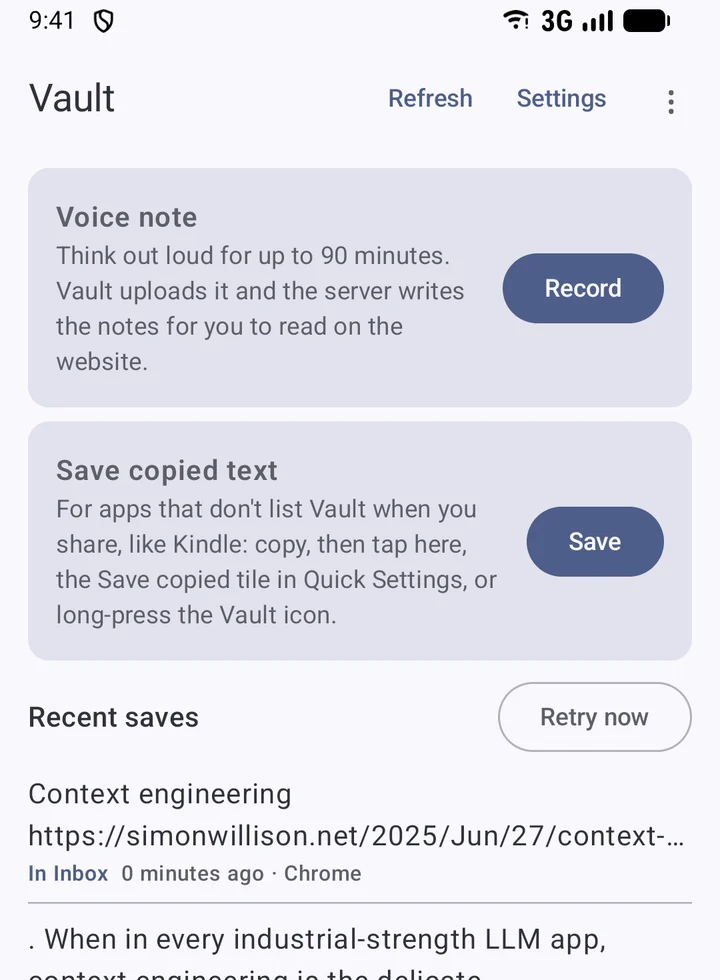
- Save copied text, for apps that hide Vault from their share sheet. Kindle is the one that pushed me to add it. It is a button in the app, a Quick Settings tile and a home screen shortcut.
- Voice note, for thinking out loud for up to 90 minutes with the screen off.
- New note, typed or dictated, with drafts kept as I type.
Saves do not need a connection. Each one is queued on the phone and sent when the network is back, and it survives a restart. The Save tab shows what went through and where it came from.
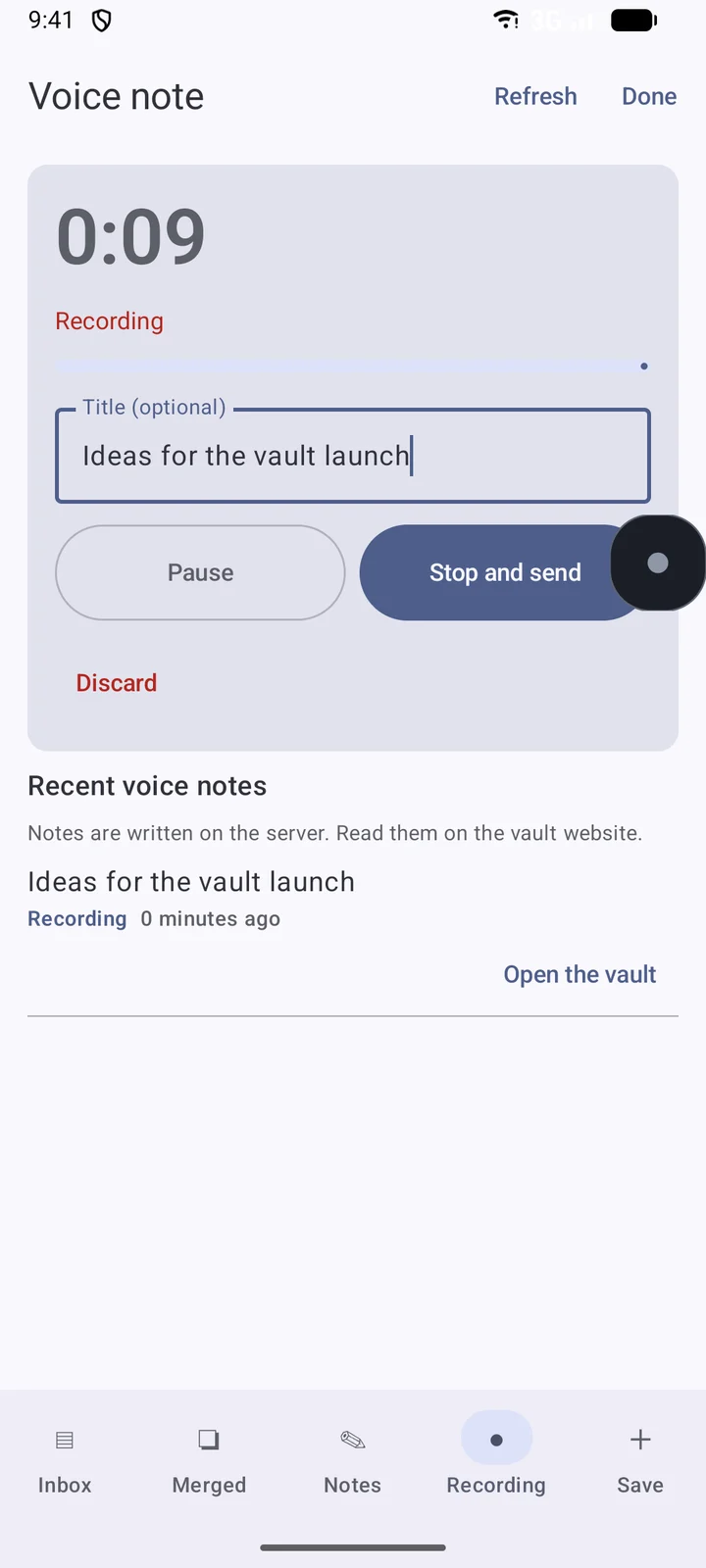
On the computer there is a box at the top of the Inbox: paste a link or type a note and press Save.
What the vault fetches for you
A bookmark is a pointer. If the post is deleted, the bookmark is empty. The vault keeps the content itself.
| You save | The vault keeps |
|---|---|
| A post | Full text, author, date, likes, replies, reposts and views, and the post it quotes. |
| A reply | The reply, attached to its conversation. Posts above it that I did not save are added as dimmed context, so a reply always makes sense. |
| A thread | "Get full thread" pulls every part by the author, up to 100, in order. |
| An X Article | The whole article as Markdown: headings, lists, quotes, code and images. |
| A web link | The readable article text, with title, site, author and date. Up to 60,000 characters. |
| A YouTube link | Title, channel, length, chapters and the transcript, with a time mark about once a minute. |
| A Kindle highlight | The passage, with the book title and authors. |
| A voice note | A transcript with timestamps, then written notes: summary, key points, action items, decisions and open questions. |
| Pictures | Copies of post photos and article images, stored once each. |
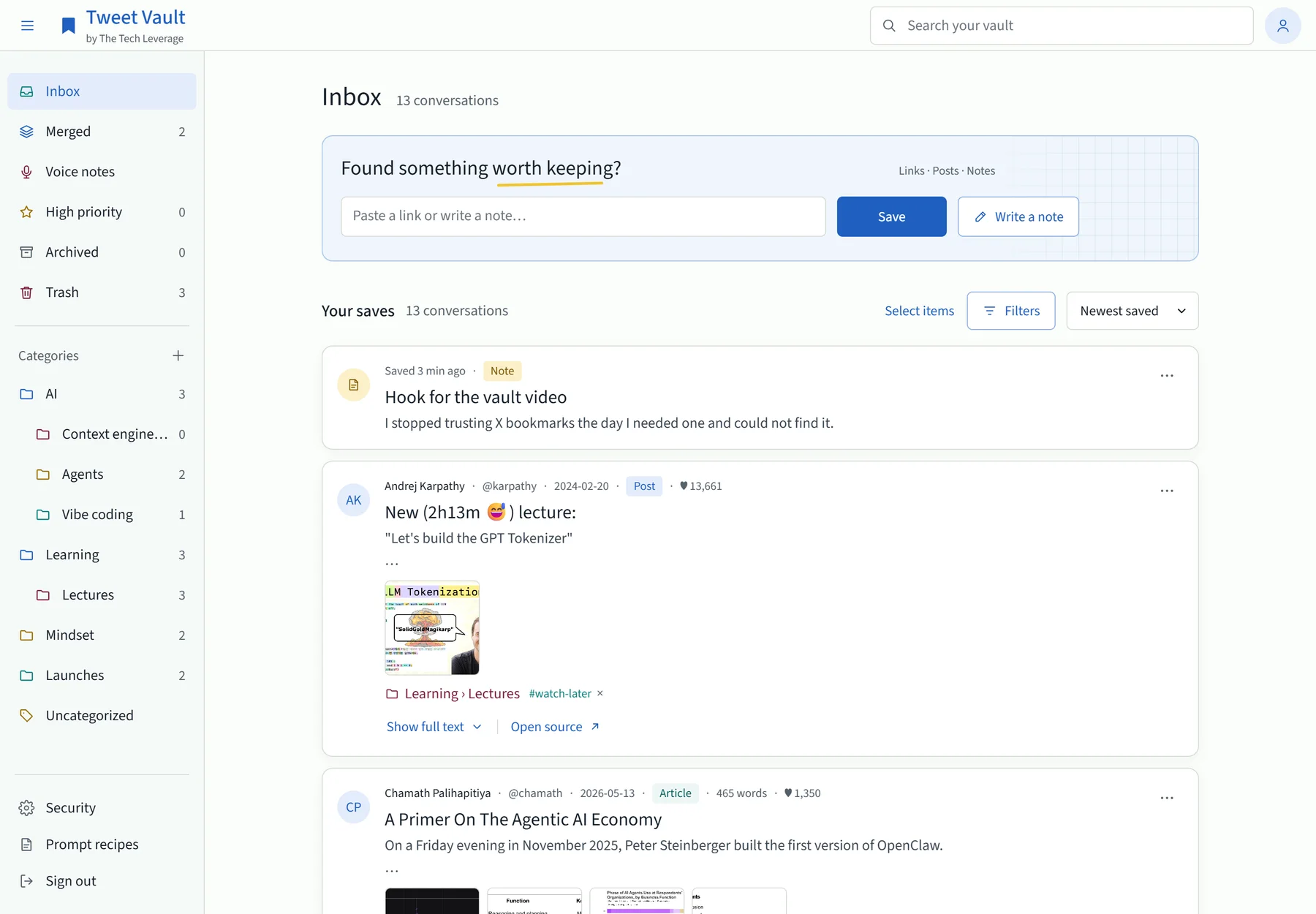
Here is a 31-part thread saved from one link. I shared the first post and chose “Get full thread”.
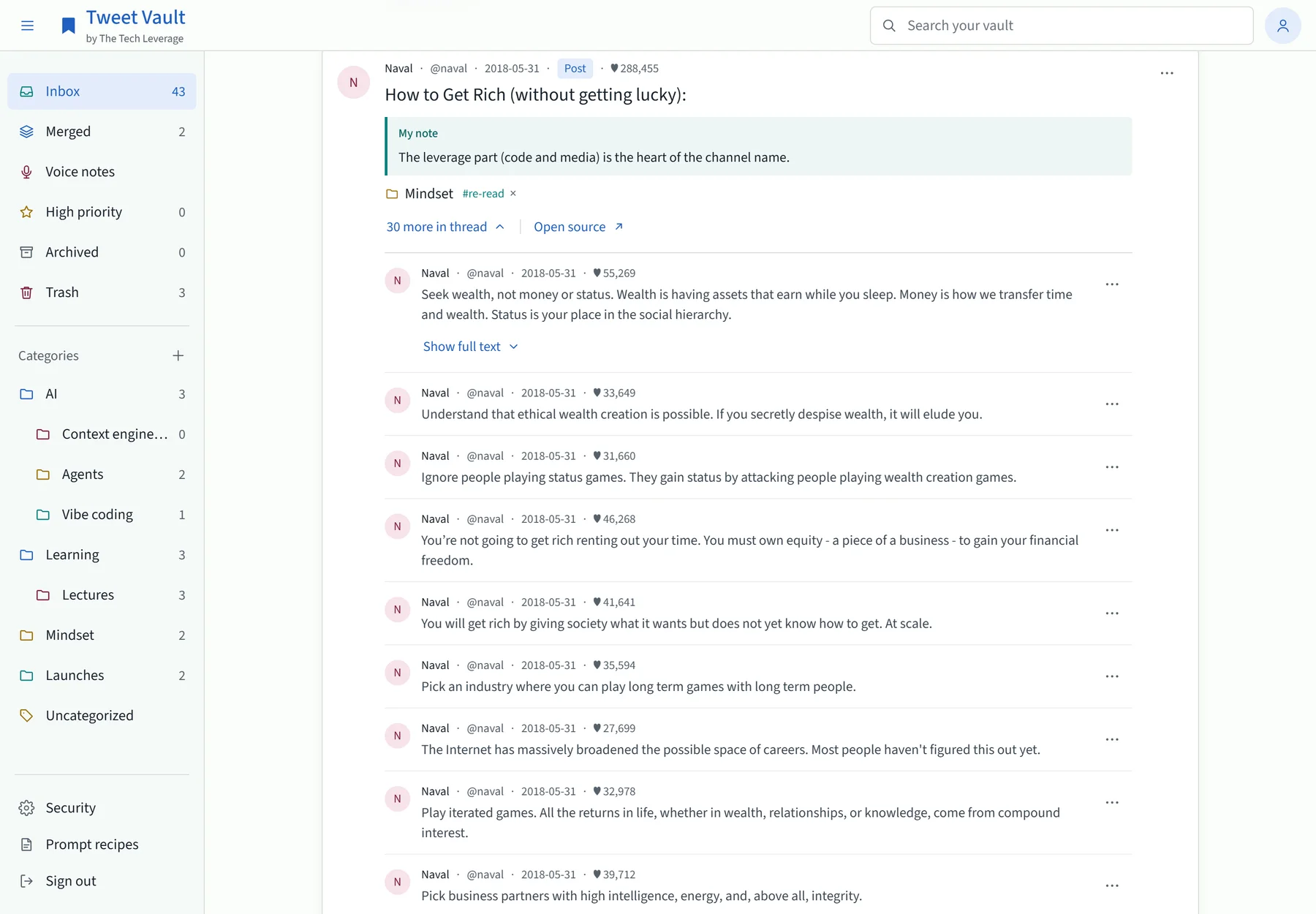
X Articles open in a reader inside the vault. So do web articles and video transcripts.
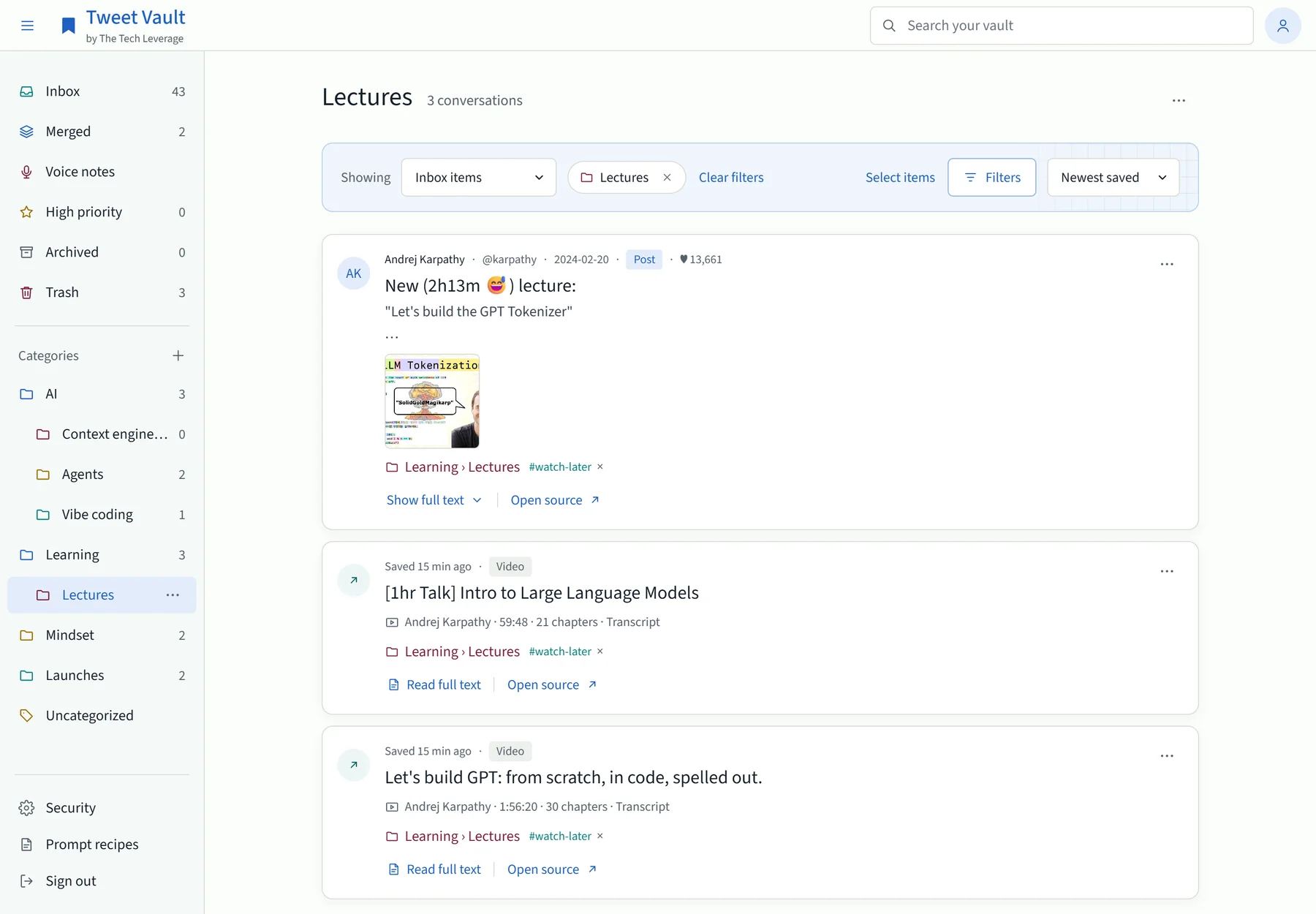
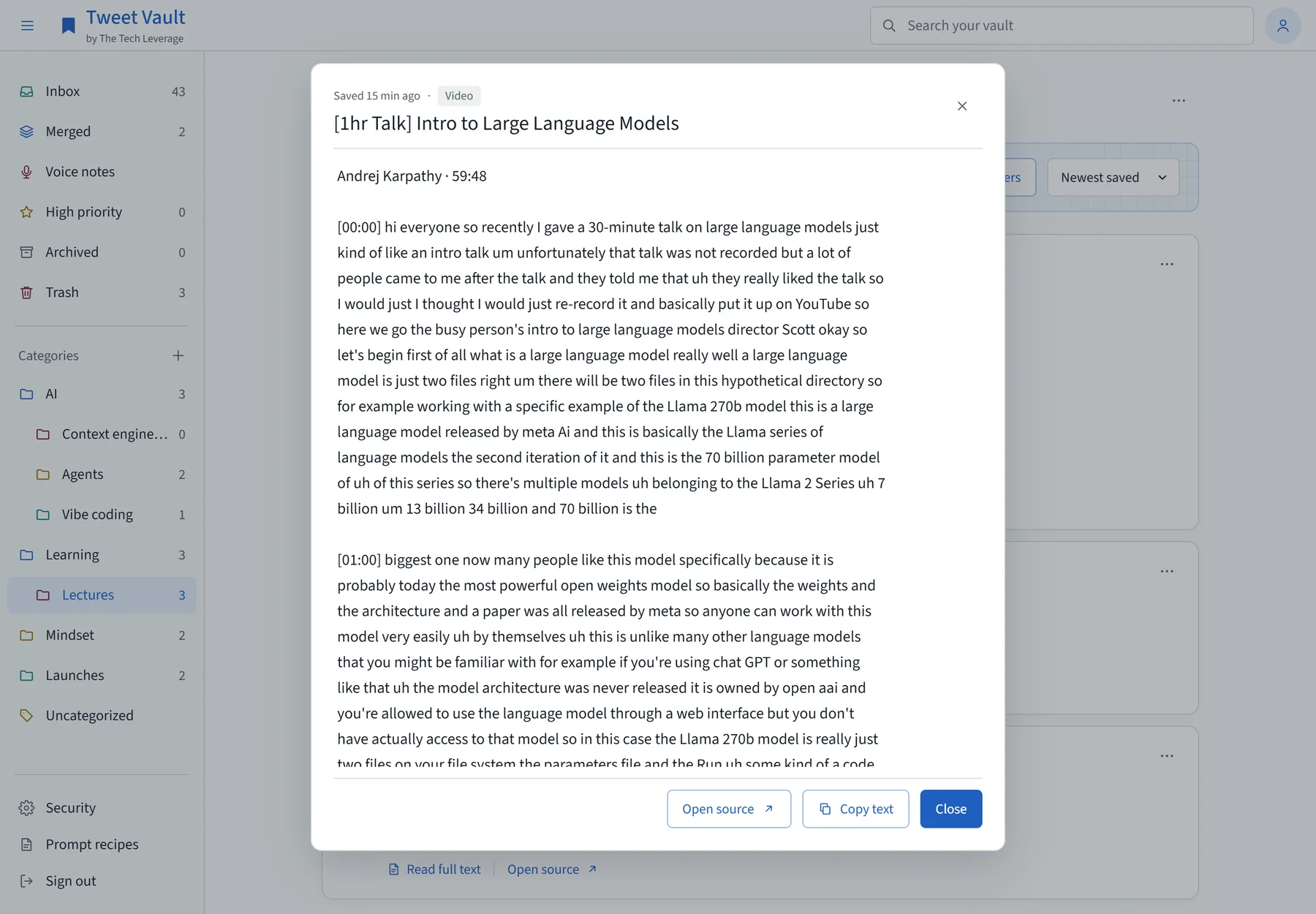
Posts in Chinese, Japanese and other non-Latin scripts can be translated to English, on request or automatically, and a merged collection has an “In English” switch.
Organize: categories, tags and a daily AI pass
Sorting is where every read-later tool dies, because nobody wants to do it. So the vault gives me the usual tools and then does most of the filing itself.
- Inbox, Archived and Trash. Trash empties itself after 30 days, and never deletes something that is in a merge.
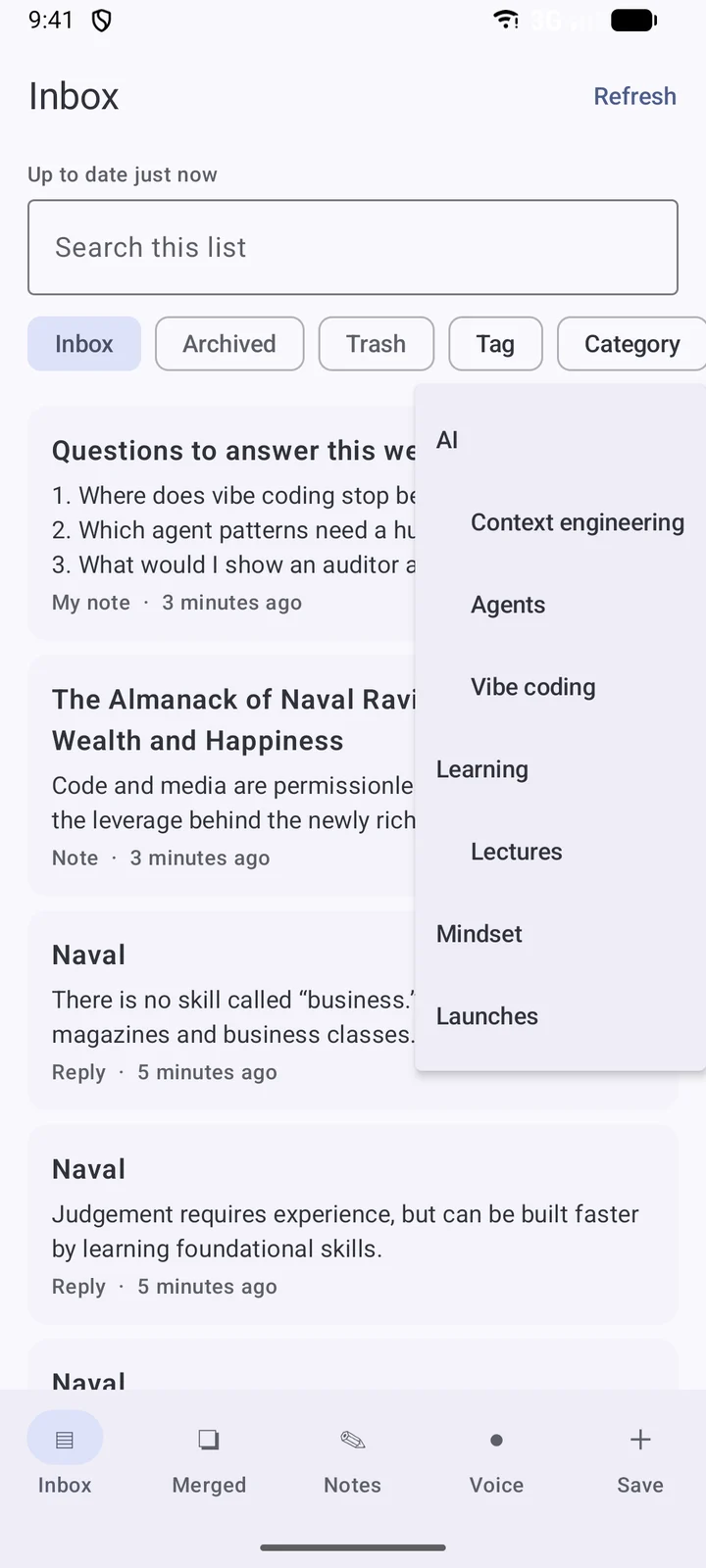
- Categories and subcategories, two levels deep.
- Tags, priority (High, Medium, Low) and a High priority view.
- My note on any item: one line on why I saved it. This is the feature I missed most in bookmarks.
- Search, filters by category, priority and tag, and five sort orders including “Most liked”.
- Select items for bulk work: file, tag, archive or merge many at once, each with Undo.
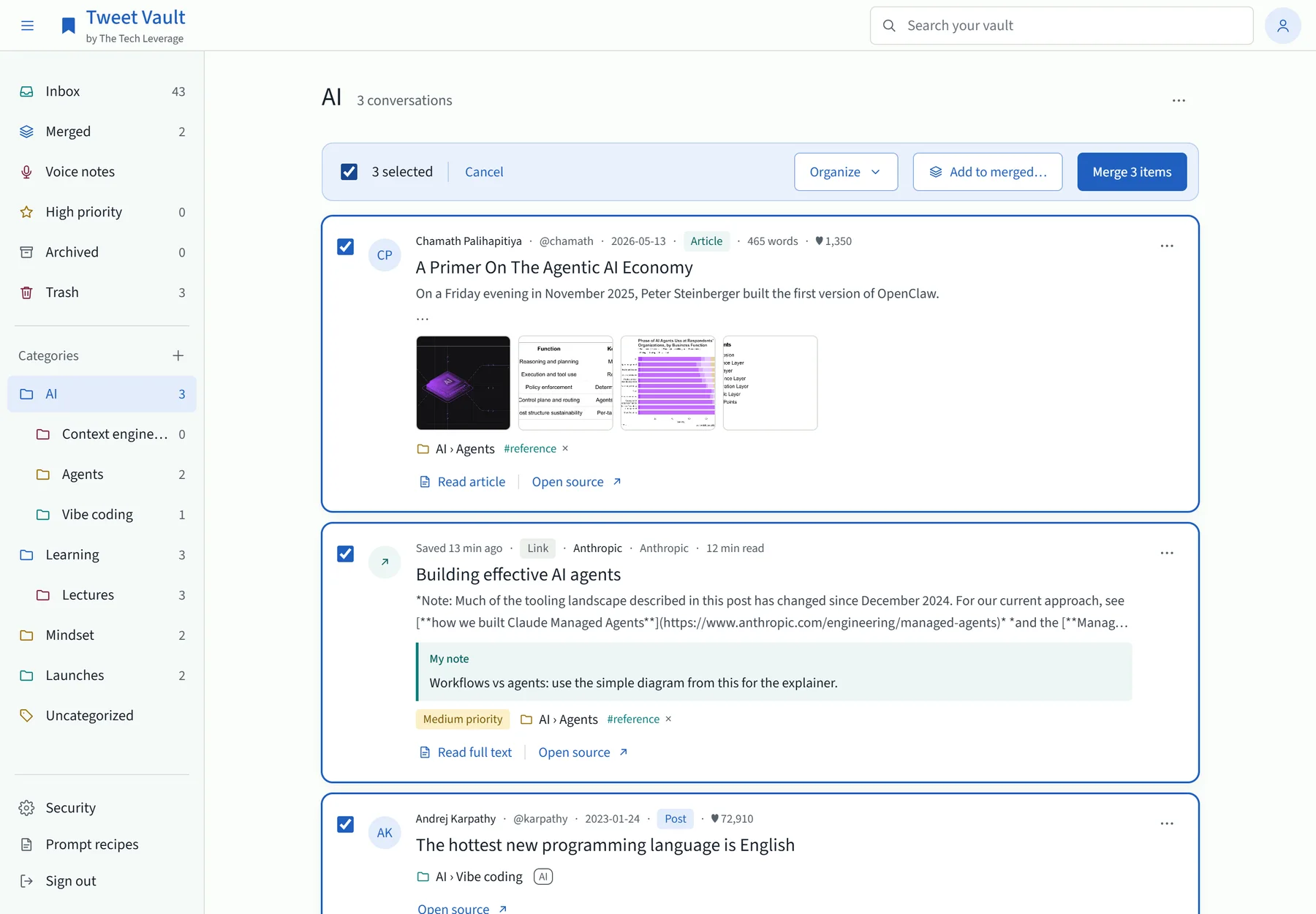
Once a day, a small Claude model (Haiku) reads the loose items in the Inbox and files them into categories and subcategories. It follows three rules I set. It never changes a category I chose. It may create new categories, but only a few per run. And anything it filed carries a small AI mark, so I can always tell its work from mine.
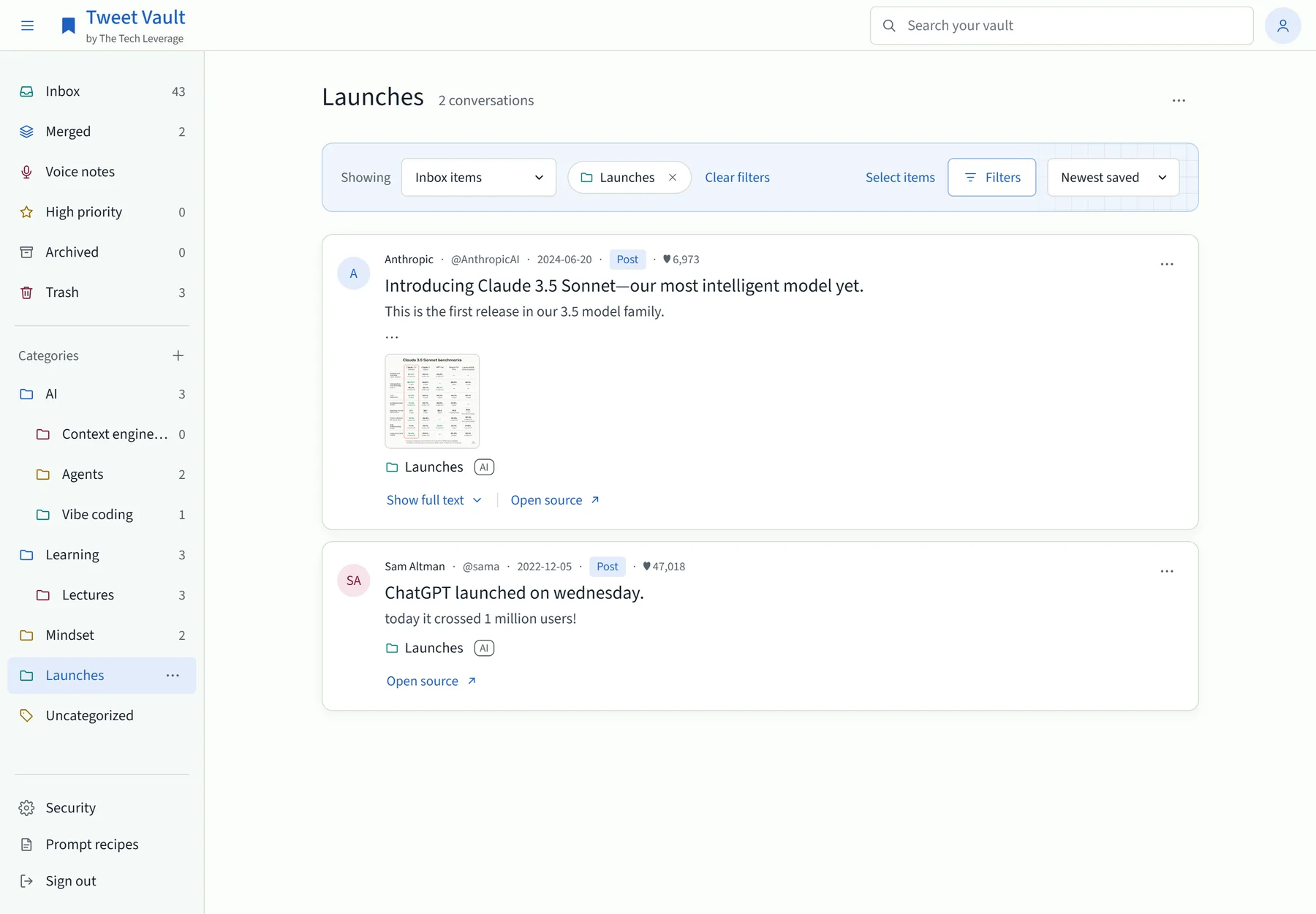
The same run can merge items, but only when they are about the same specific story, and only into merges it made itself. It never touches a merge I made by hand.
Merge: the part X never built
This is the reason the vault exists. A merge takes a set of saved items and produces one piece of text, in a fixed order, that reads top to bottom.
Below is a merge of seven sources on one idea: a post, three replies to it, a second post that quotes it, a blog article about both, and my own note.
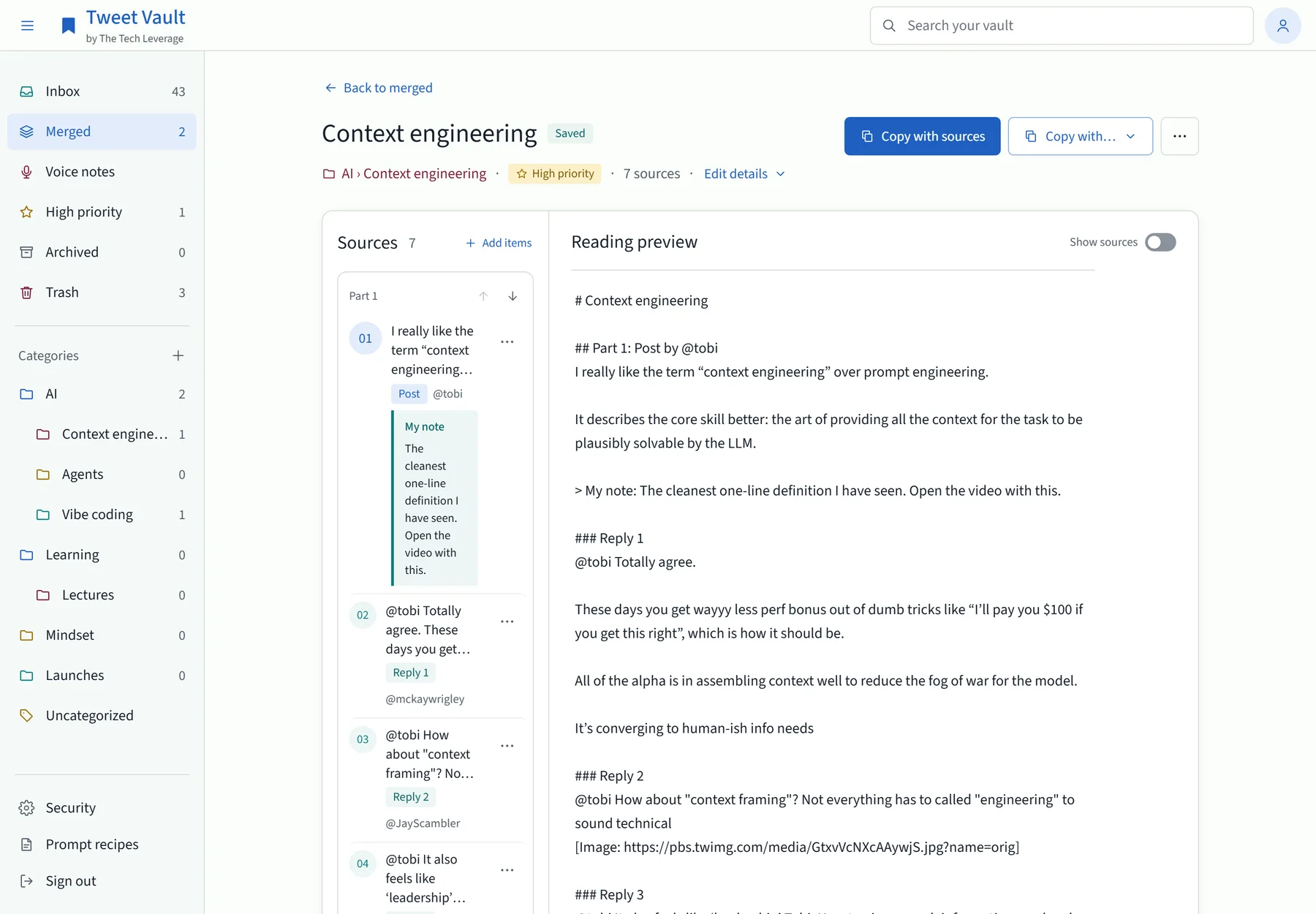
The order is the useful part:
- Each conversation starts with its post.
- Then the author’s own thread, in posting order.
- Then the replies, in the order I rank them. I drag them, or use Alt and the arrow keys.
- My notes sit under the item they belong to, as “My note”.
- Several conversations become “Part 1”, “Part 2” and so on, and parts can be moved too.
Ranking replies matters more than it sounds. The best reply to a post is often the counter-argument, and it is usually buried under fifty people agreeing. I put it first.
Every merge ends with a Sources block: one line per item with the author, date, like count and link. So anything Claude writes from it can be traced back to a real post.
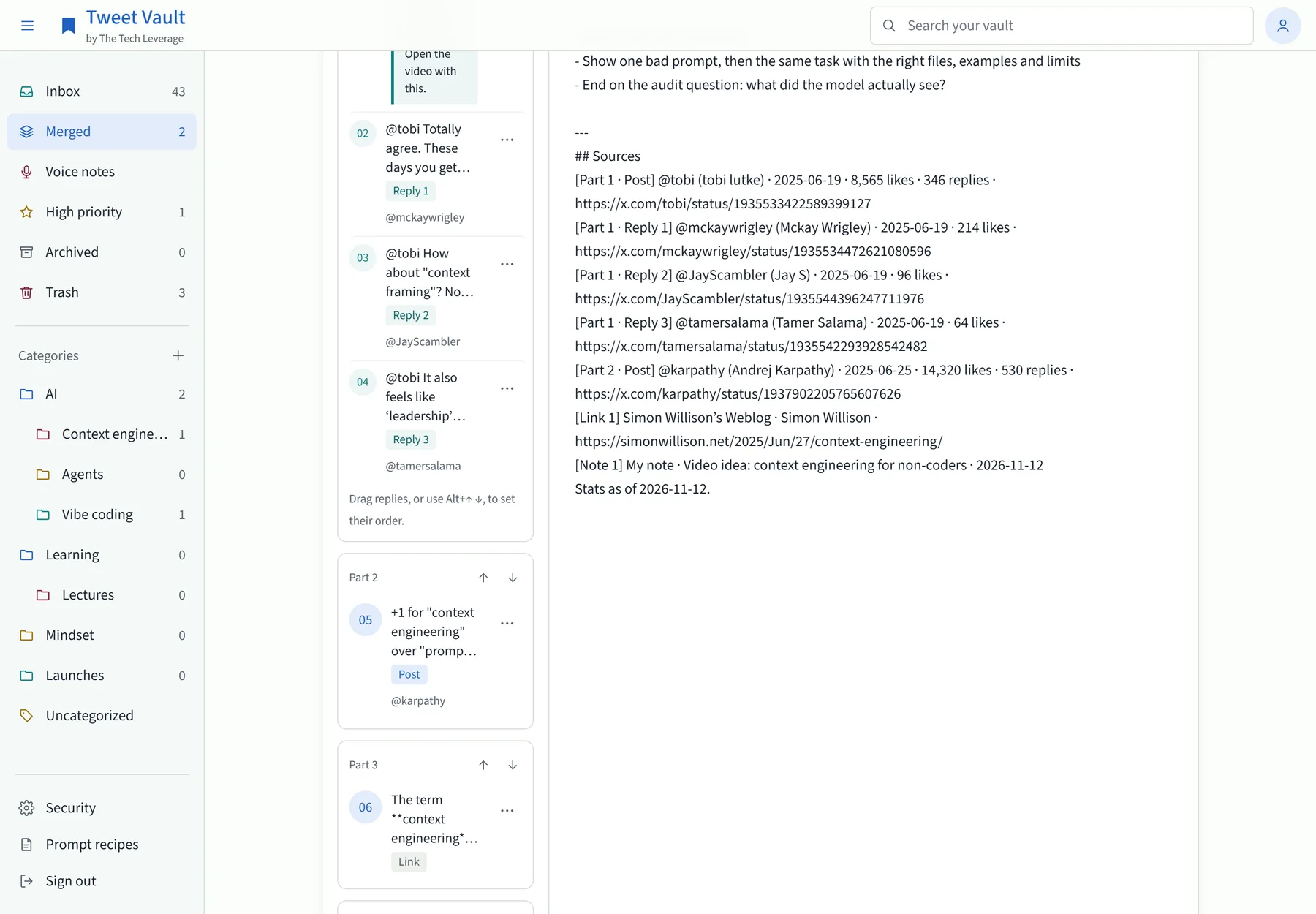
A merge can mix kinds. This one has a post, the replies to it, and a 39-minute talk with its chapters and transcript.
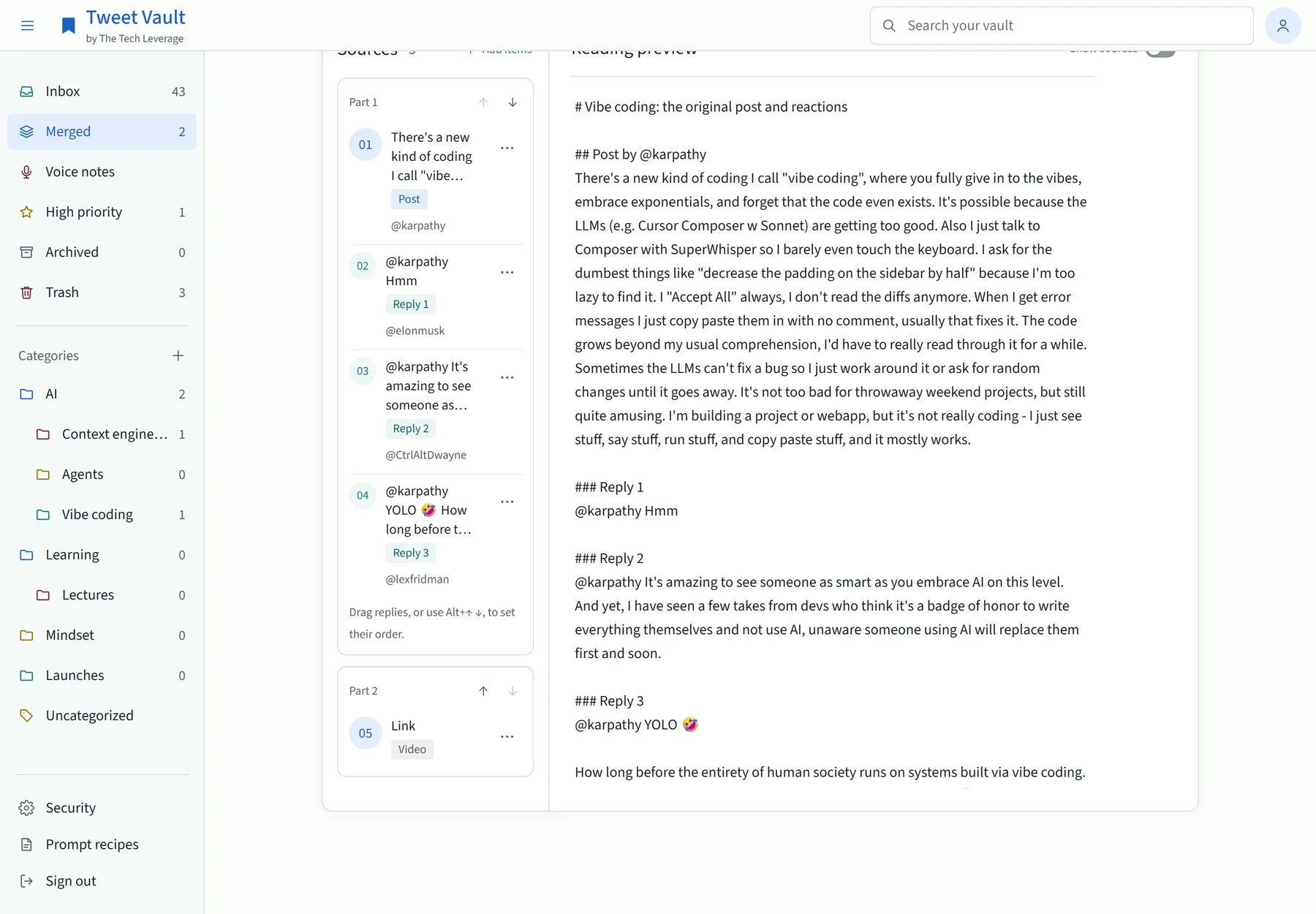
Merges stay editable. “Add items” searches everything I have saved. “Add to merged…” sends an item to an existing merge. “Combine into…” folds one merge into another. “Unmerge” puts everything back in the Inbox, and nothing is deleted.
Hand it to Claude
There are four ways to get a merge into Claude. I use all of them.
Copy with sources
One button copies the whole merged text with its Sources block. Paste it into any chat.
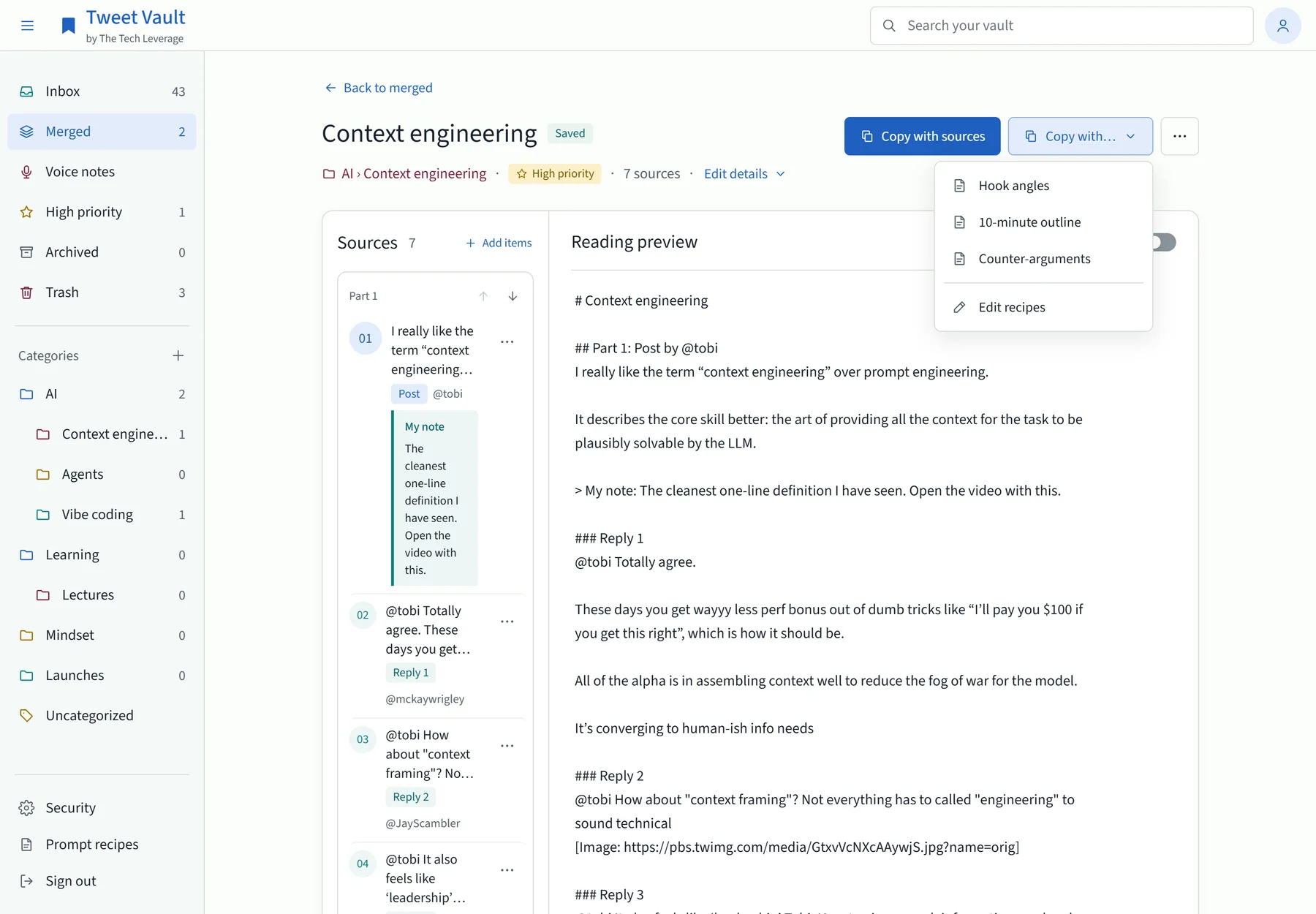
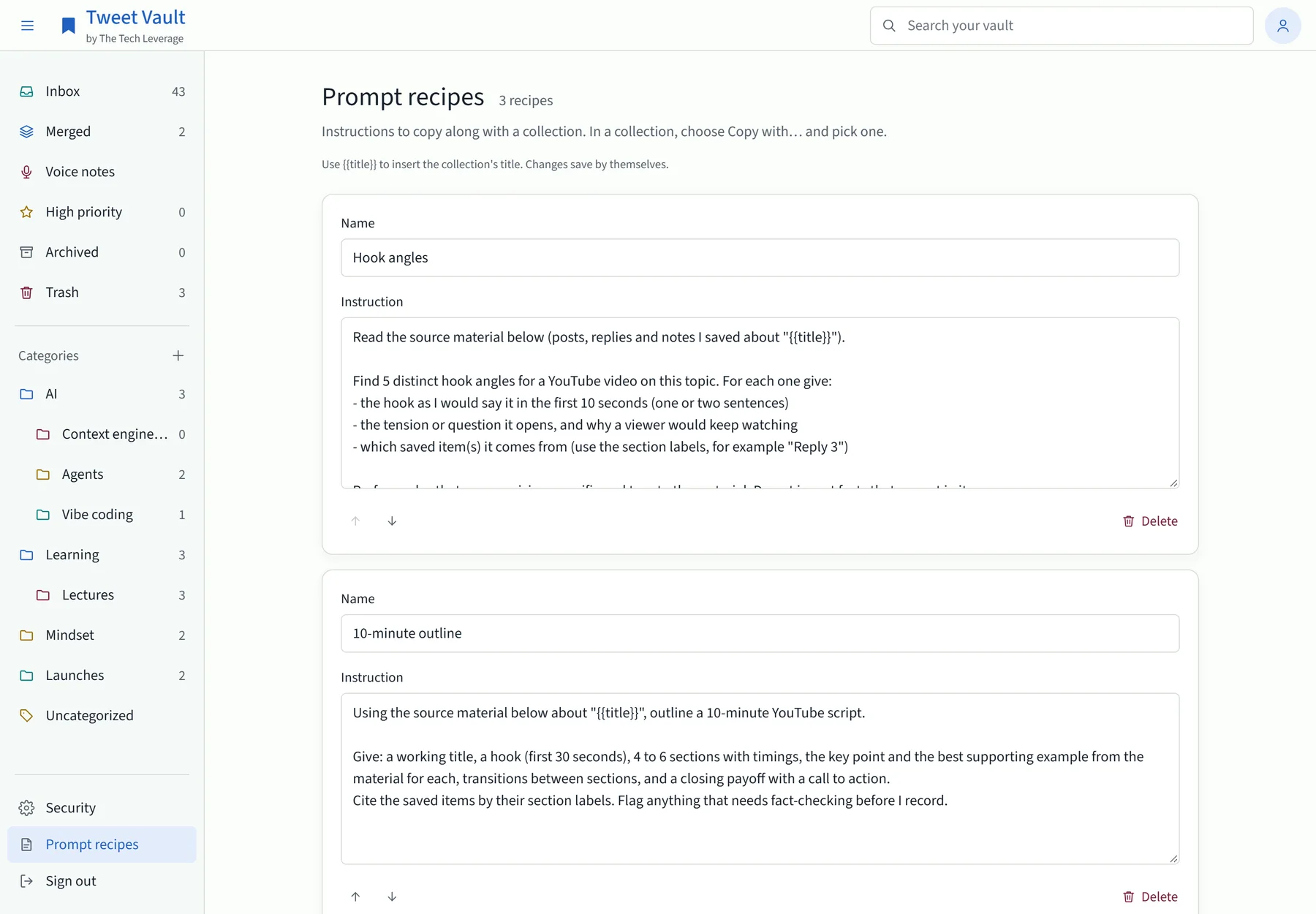
Copy with a prompt recipe
A recipe is a saved instruction that goes in front of the merge. I keep three: Hook angles, 10-minute outline and Counter-arguments. Choose “Copy with…”, pick one, and the clipboard holds my instruction followed by the material, wrapped so the model treats the material as something to read and not as orders to follow.
Let Claude read the vault itself
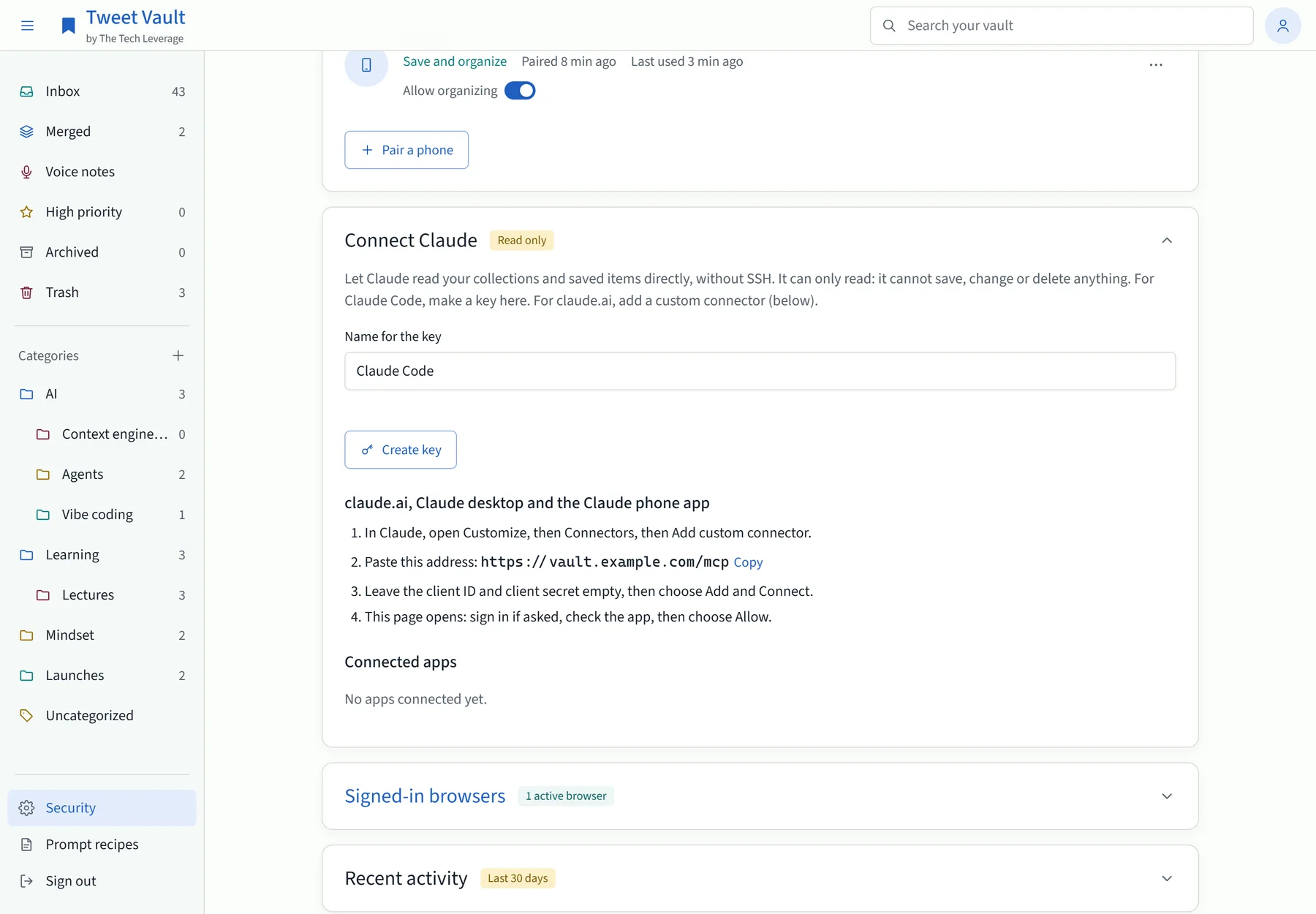
The vault has its own MCP endpoint, so Claude can open it without me copying anything. In Claude Code I type “get vault bundle context engineering” and it fetches the merge by name. The tools are read-only: list collections, get one, search items, get an item, list recipes. Claude can read my vault. It cannot save, change or delete anything in it.
The claude.ai connector
For claude.ai, Claude desktop and the Claude phone app, the vault runs a small OAuth server of its own. I add the vault’s address as a custom connector, sign in with my password and two-step code, press Allow, and my merges are available in any chat on any device.
The Android app
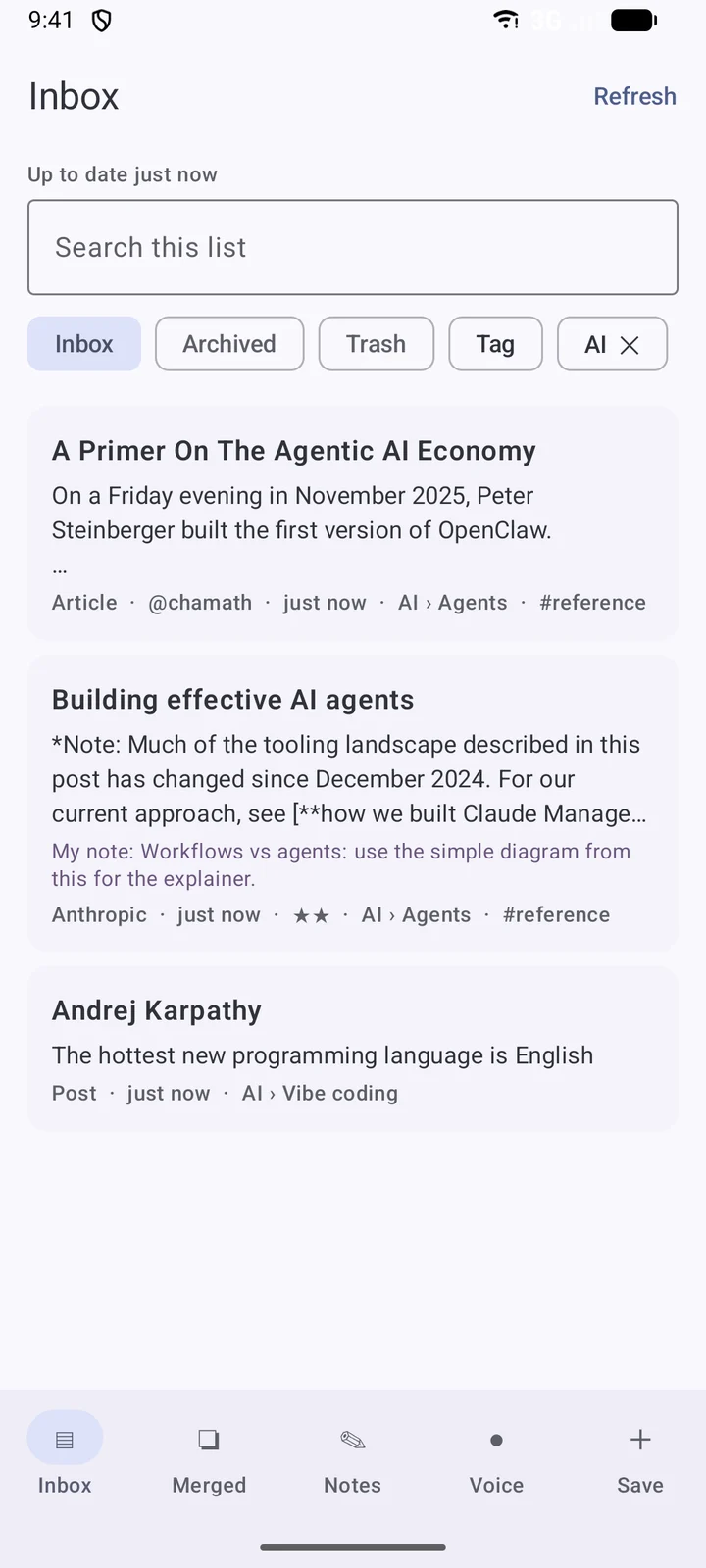
The app started as a share target and nothing else. Then I noticed the phone is the device I actually reach for, so it grew. Version 1.7.0 keeps its own copy of the vault and works offline.
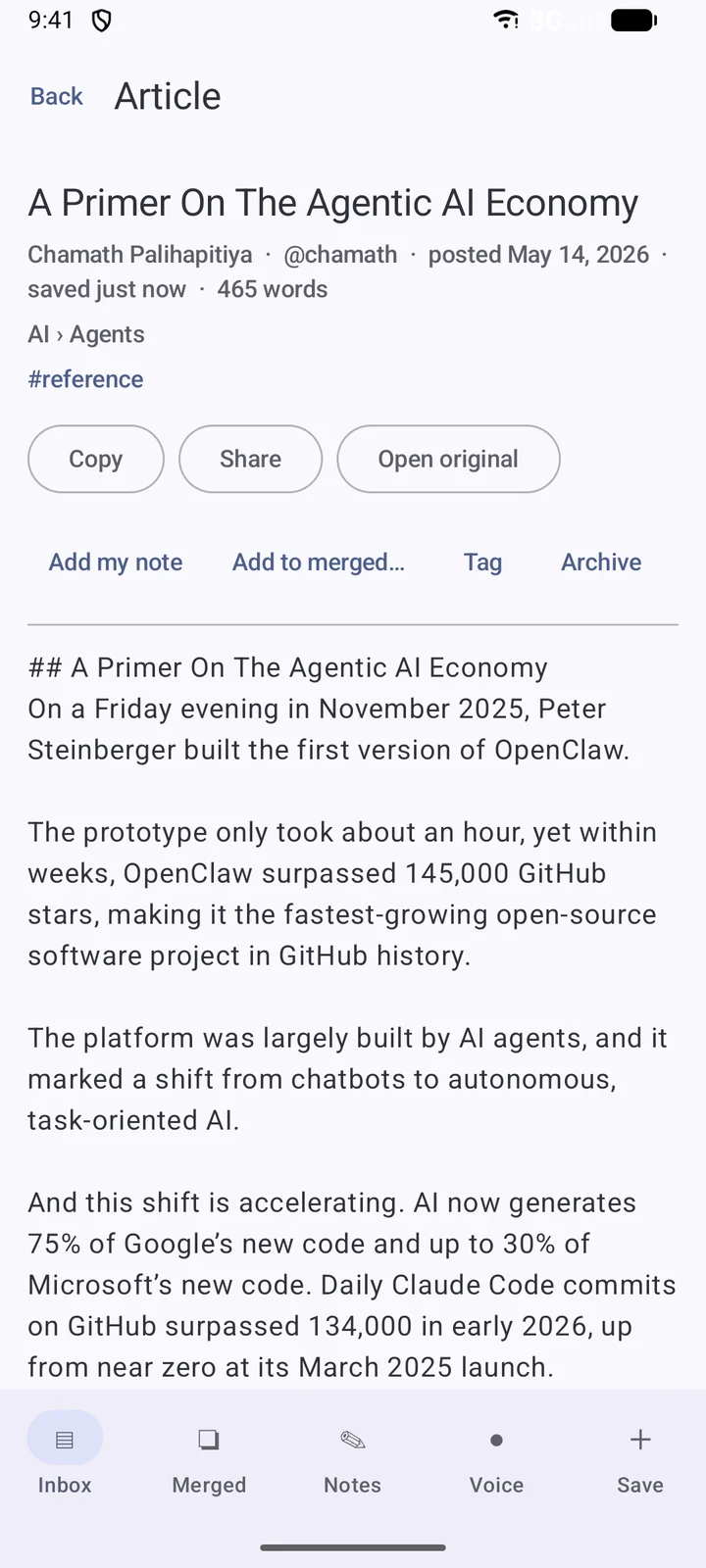
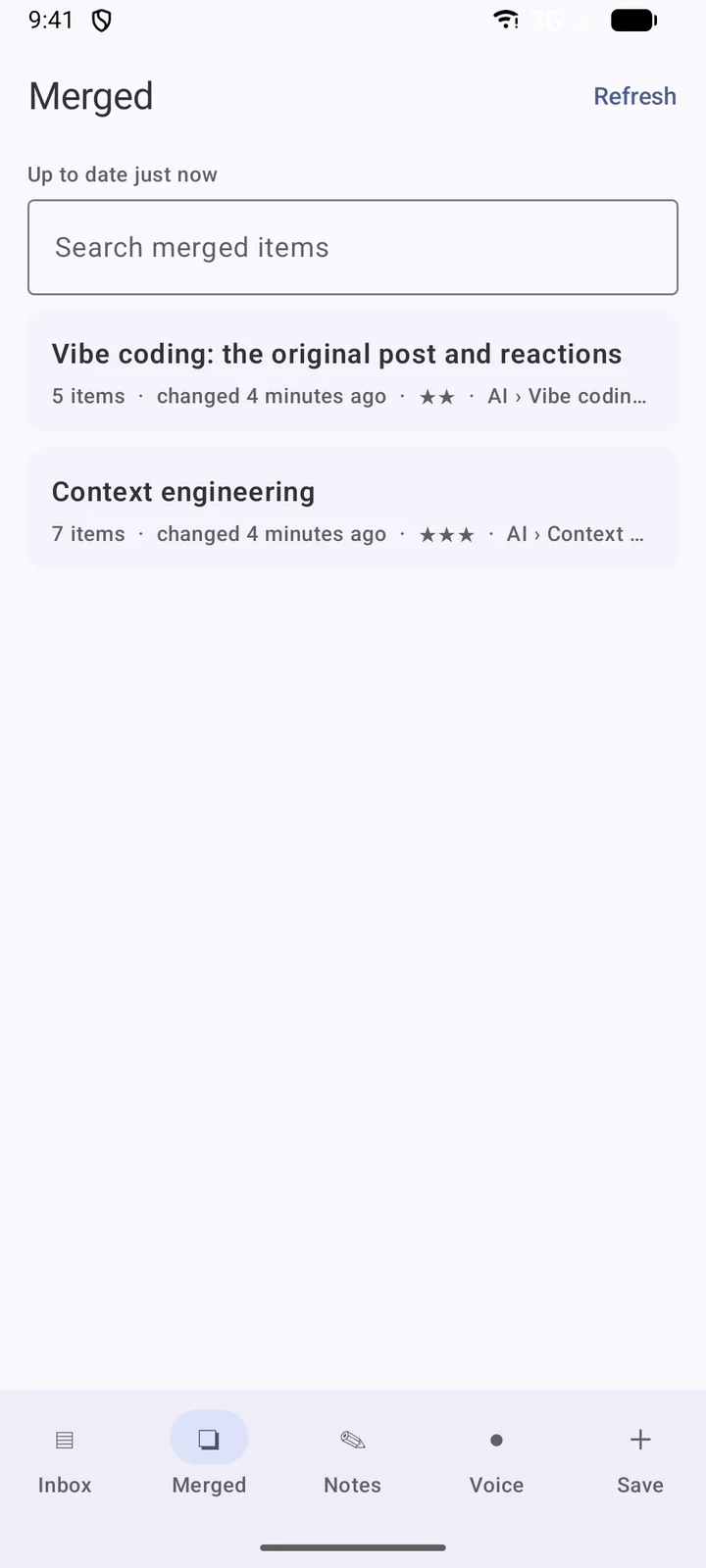
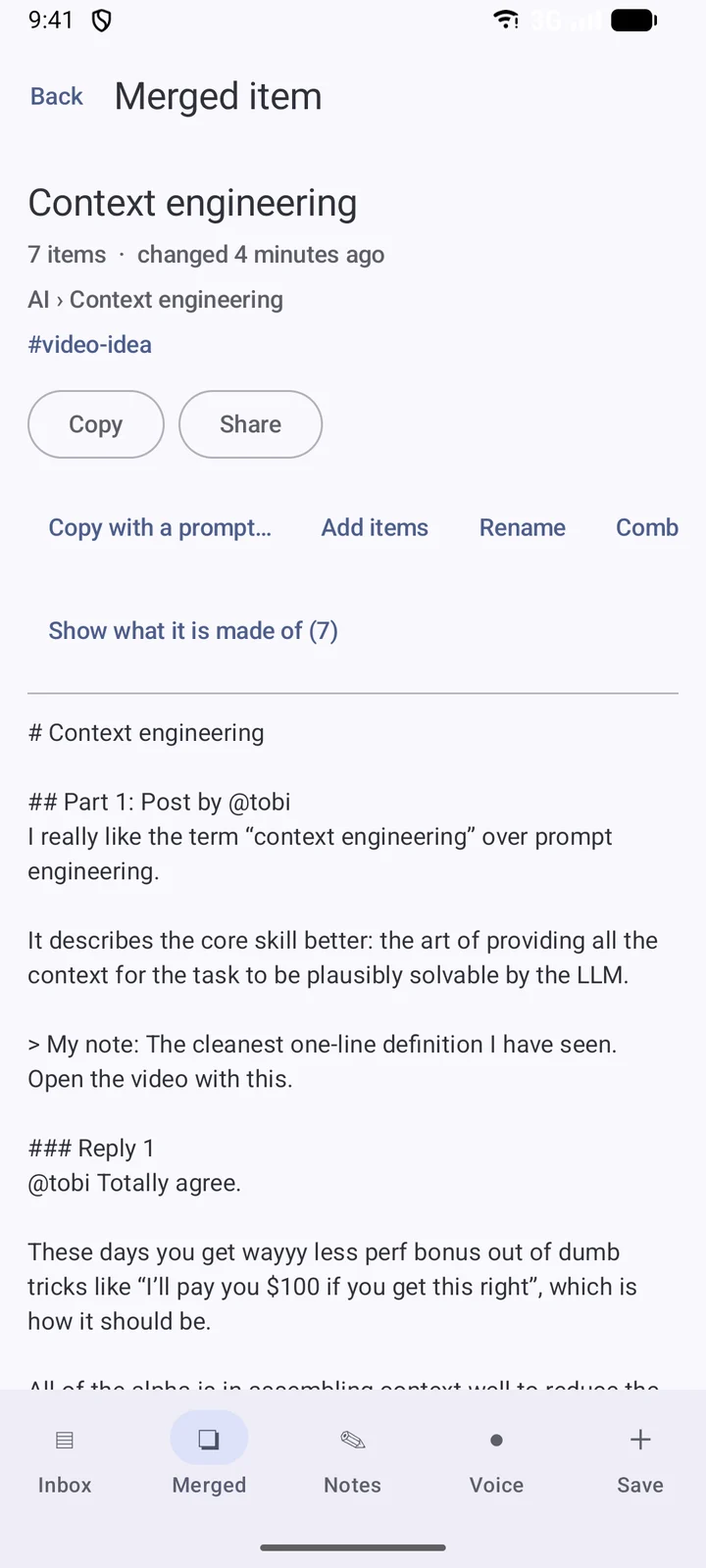
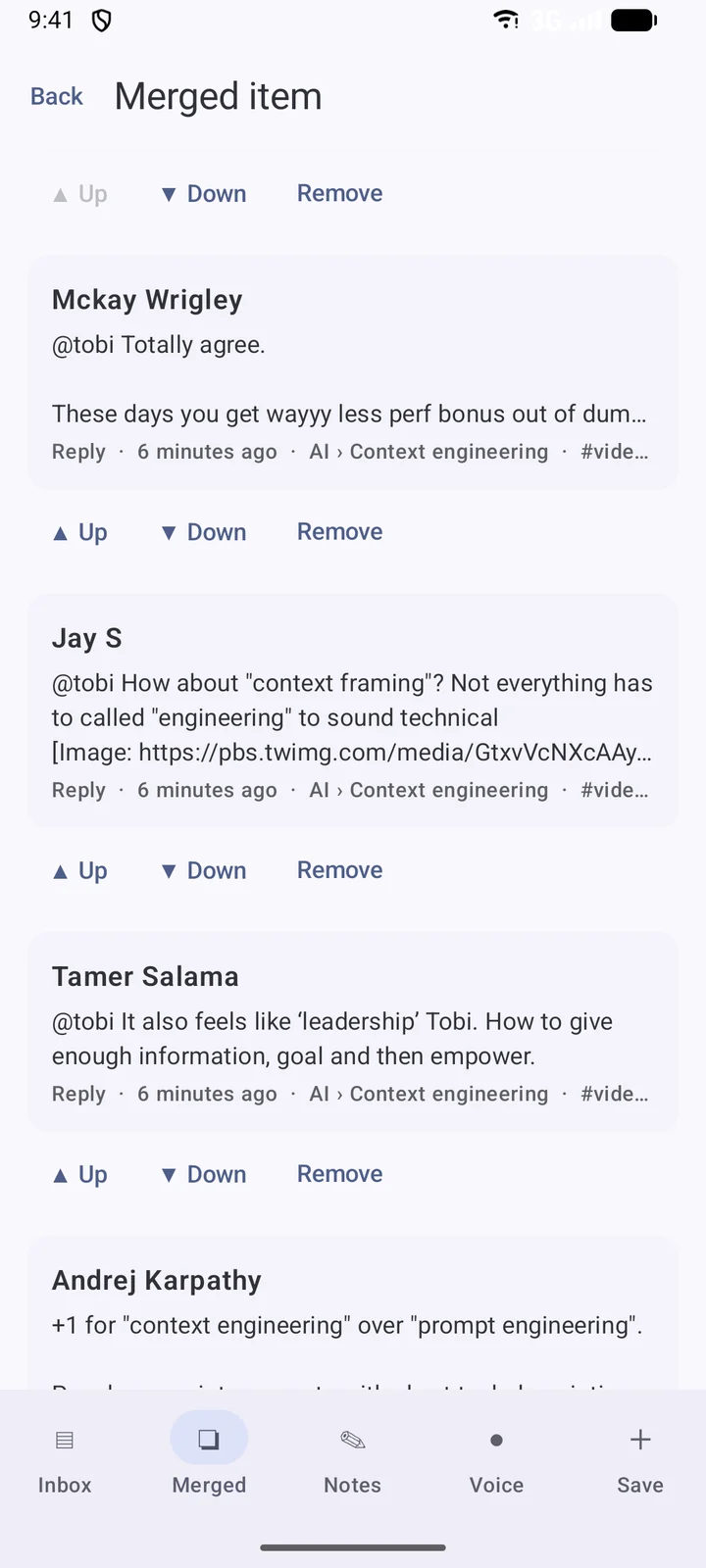
What it does:
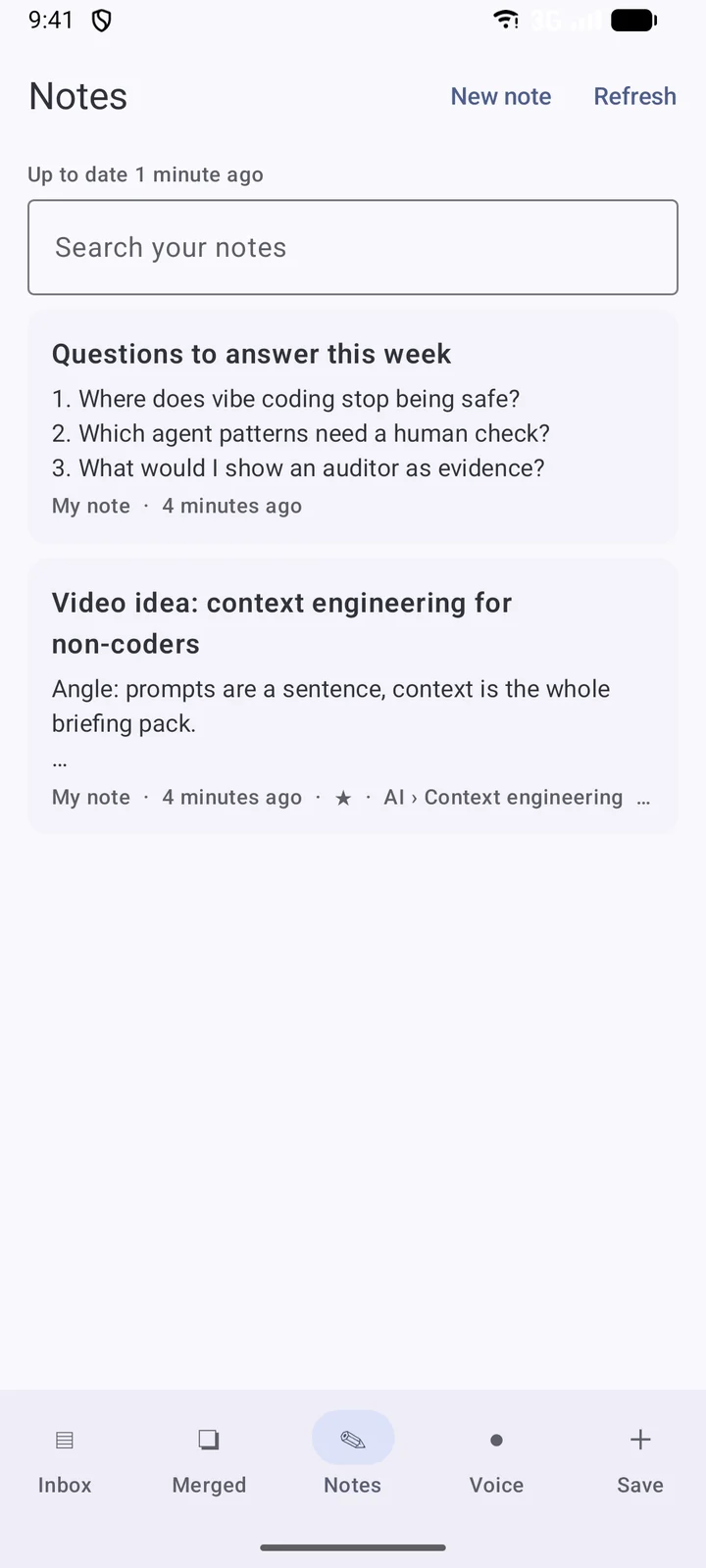
- Five tabs: Inbox, Merged, Notes, Voice and Save.
- Merge on the phone: press and hold to tick items, then merge, add to a merge, tag, archive or trash.
- Undo that is real. Trash, Remove and Unmerge wait six seconds before they are sent, so Undo simply cancels them.
- Offline changes. Edits show at once and wait in a queue until the network is back. If the server refuses one, the app takes back that change and only the later ones that depended on it.
- Notes: write, edit and dictate, with search across typed notes and voice notes.
- App lock with fingerprint or the screen lock. Sharing still works while it is locked, so saving stays one tap.
- Updates from my own server. The app checks for a new build, verifies the file’s size and SHA-256 hash, and installs it. No app store.
Security: it is my reading list, on the public internet
I audit systems for a living, so I could not put this online with a password field and hope. What I save says a lot about what I am working on, and a paired phone holds a token that can write to it.
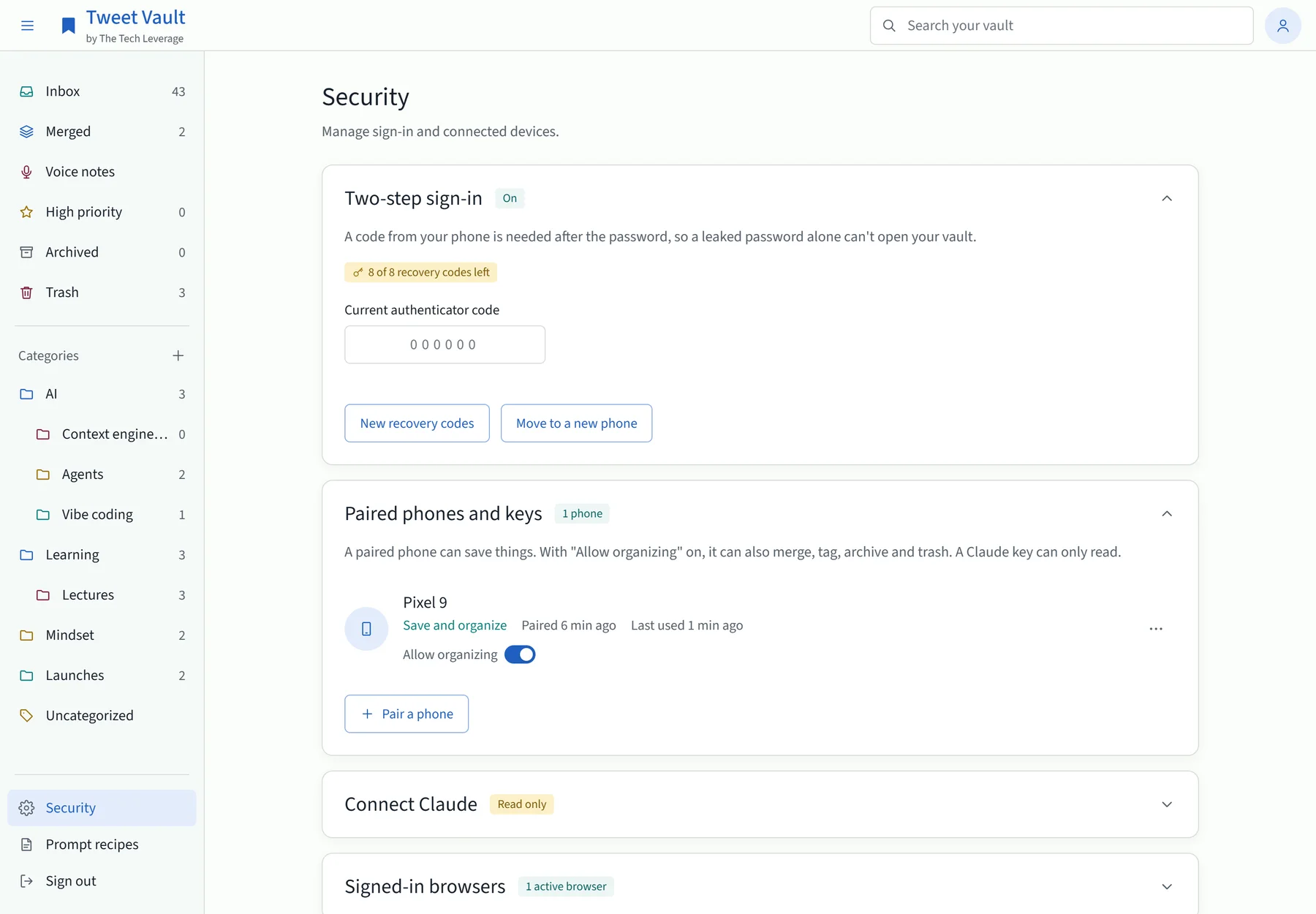
- Two-step sign-in is required, with an authenticator app. Eight one-time recovery codes cover a lost phone.
- Phones pair with a six-digit code that lasts ten minutes and works once. Each phone gets its own token, stored only as a hash on the server and encrypted with the Android Keystore on the phone.
- Permissions are narrow. A phone can save. With “Allow organizing” on, it can also merge, tag, archive and trash. It can never delete for good or open Security. A Claude key can only read.
- Rate limits per device. A stolen token cannot flood the vault or churn through it.
- Fetching is locked down. The server reads web pages for me, which is a classic way to get attacked. So it only fetches over HTTPS, refuses private and internal addresses, checks every redirect, and caps size and time. Pictures come from one host only.
- Saved text is treated as data. Every model call tells the model not to follow instructions found in the material. A post that says “ignore previous instructions” is just a post.
- A strict content policy on the page, and page text is never written as raw HTML.
- An activity log for 30 days: sign-ins, wrong codes, pairing, every time Claude reads the vault.
- Nightly backups, kept 14 days on the server and 60 days off it, with an integrity check and a restore script.
How it is built
I built Tweet Vault with Claude Code, working in phases: write a plan, build a phase, run a code review on it, fix every finding, then ship. The first version went live in the first week of November 2026. App 1.7.0 went out on 12 November.
| Part | What it is |
|---|---|
| Server | Node.js 22 using only what ships with Node for the web server and the database (node:http and node:sqlite). About 75 routes. |
| Dependencies | Two npm packages: the Anthropic SDK and a QR code library for two-step setup. |
| Database | One SQLite file, on schema version 12. Every upgrade keeps a copy of the file first. |
| Website | Plain JavaScript and CSS. No framework and no build step. |
| Android app | Kotlin with Jetpack Compose, Room for the offline copy and WorkManager for the queues. Android 8 and up. |
| Post data | FxTwitter's free public API, at one request a second. No X API key. |
| AI | Claude Haiku for translation and daily filing. Claude Sonnet for voice notes. Groq's Whisper for transcripts. |
| Tests | 958 on the server, run against saved real responses. 221 in the app. |
| Hosting | One Docker container behind Nginx on a small server I already had. |
| Running cost | Nothing extra for the server. The AI calls are pay-per-use, and each kind has a daily cap. |
Keeping the server to two dependencies was a choice. Fewer packages means fewer things that can be compromised upstream, and for a tool that holds my own data that matters more than saving a day of work.
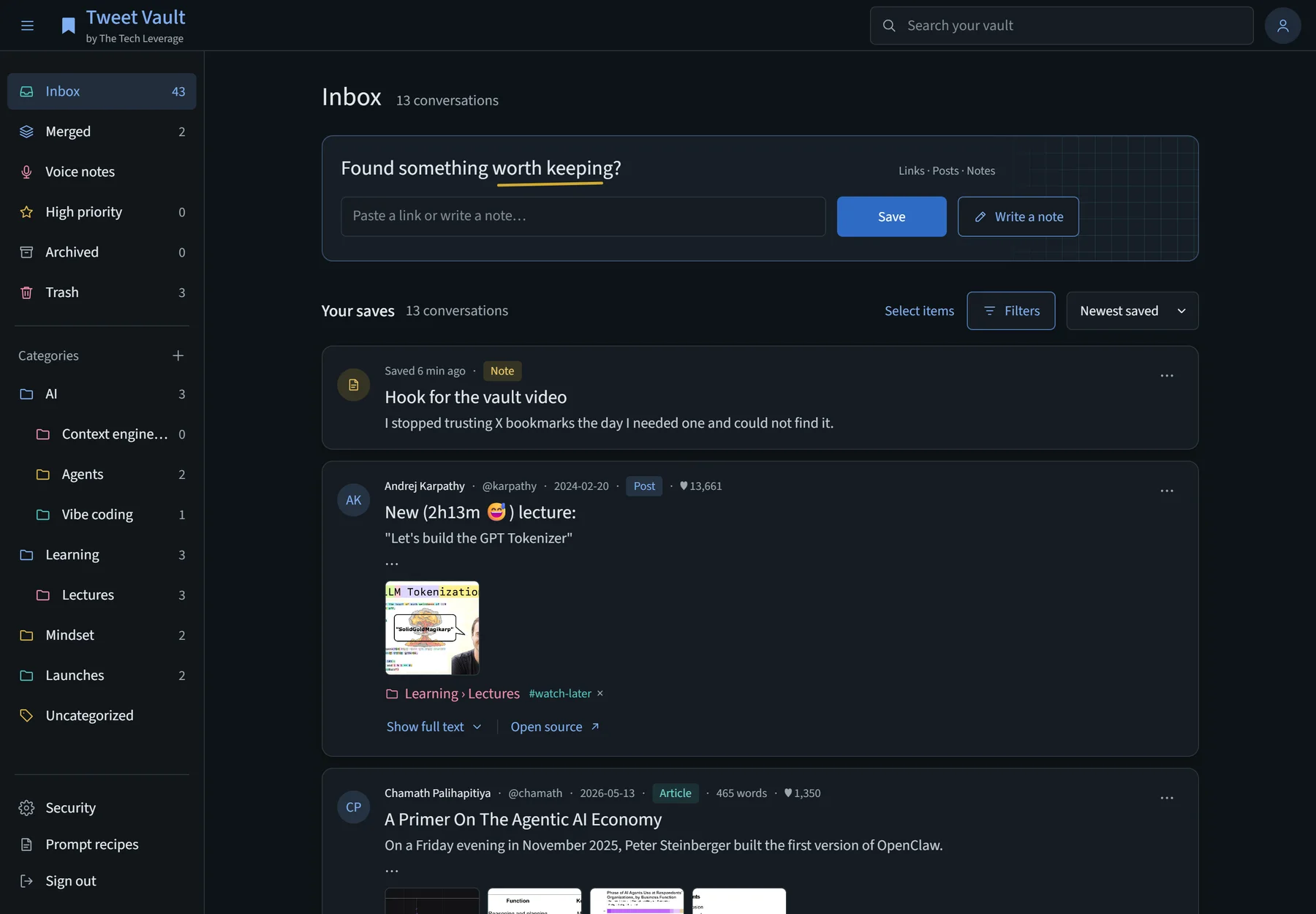
It also has a dark theme.
The full feature list
Saving
- Share to Vault from any Android app, with a pinned “Save to Vault Inbox” target
- “Save to Vault” on selected text
- “Save copied text” as a button, a Quick Settings tile and a shortcut
- Voice notes up to 90 minutes, in the app or the browser, and audio files shared in from WhatsApp or a recorder
- Typed and dictated notes, with drafts
- A capture box on the website
- Offline queue for saves, voice uploads and edits
- Sharing the same thing twice never makes a duplicate
Fetching
- Full post text, stats and the quoted post
- Replies attached to their conversation, with context
- Full threads, up to 100 parts
- X Articles as Markdown
- Web article text
- YouTube title, channel, chapters and transcript
- Kindle highlights with book and authors
- Pictures copied to the vault
- Translation to English
- Voice transcripts and written notes, with “Another pass” for my own prompt
Organizing
- Inbox, Archived, Trash
- Categories and subcategories
- Tags, priority and personal notes
- Search, filters and five sort orders
- Bulk actions with Undo
- Daily AI filing with a visible “AI” mark
- Strict auto-merge for items on the same story
Merging
- Merge any mix of items into one text
- Rank replies by dragging or with the keyboard
- Reorder parts
- Add items, add to a merge, combine merges, unmerge
- A Sources block on every merge
- An English version of any merge
Claude
- Copy text, or copy with sources
- Prompt recipes
- A read-only MCP endpoint with five tools
- Read-only keys for Claude Code
- An OAuth connector for claude.ai and the Claude apps
- A Claude Code skill: “get vault bundle” and a name
Android app
- Inbox, Merged, Notes, Voice and Save tabs
- An offline copy of the vault
- Merging, tagging, archiving and notes on the phone
- App lock
- Updates from my own server
What it does not do
I would rather you hear this from me than find out.
- It is for one person. There are no accounts, teams or sharing. One vault, one owner.
- You host it yourself. There is no hosted version to sign up for.
- Android only. There is no iPhone app. The website works in any phone browser, but the one-tap share needs the app.
- It depends on a free third-party API for posts. If FxTwitter stops working, post fetching stops until I change the source. What is already saved stays saved.
- It does not import your existing X bookmarks. It starts from the day you install it.
- YouTube sometimes blocks servers. When that happens the transcript comes from a small script on my PC that runs once a day.
- The phone cannot do everything. Setting categories and priority, and managing security, happen on the website.
- No videos are copied. It keeps the poster image and the link.
Get the code
Both parts are open source.
- Server and website: github.com/aabhishekdata/tweetvault
- Android app: github.com/aabhishekdata/tweetvault-android
To run your own you need a small Linux server with Docker, a domain name for HTTPS, and an Android phone. The README walks through it: set a password, start the container, scan the QR code for two-step sign-in, then pair the phone with a six-digit code.
Three keys are optional. Without them the vault still saves, fetches and merges.
- An Anthropic key turns on translation, daily filing and voice notes.
- A Groq key turns on voice transcripts.
- A YouTube Data API key makes video details more reliable.
If you build on it, or find a hole in it, tell me. I read every reply.